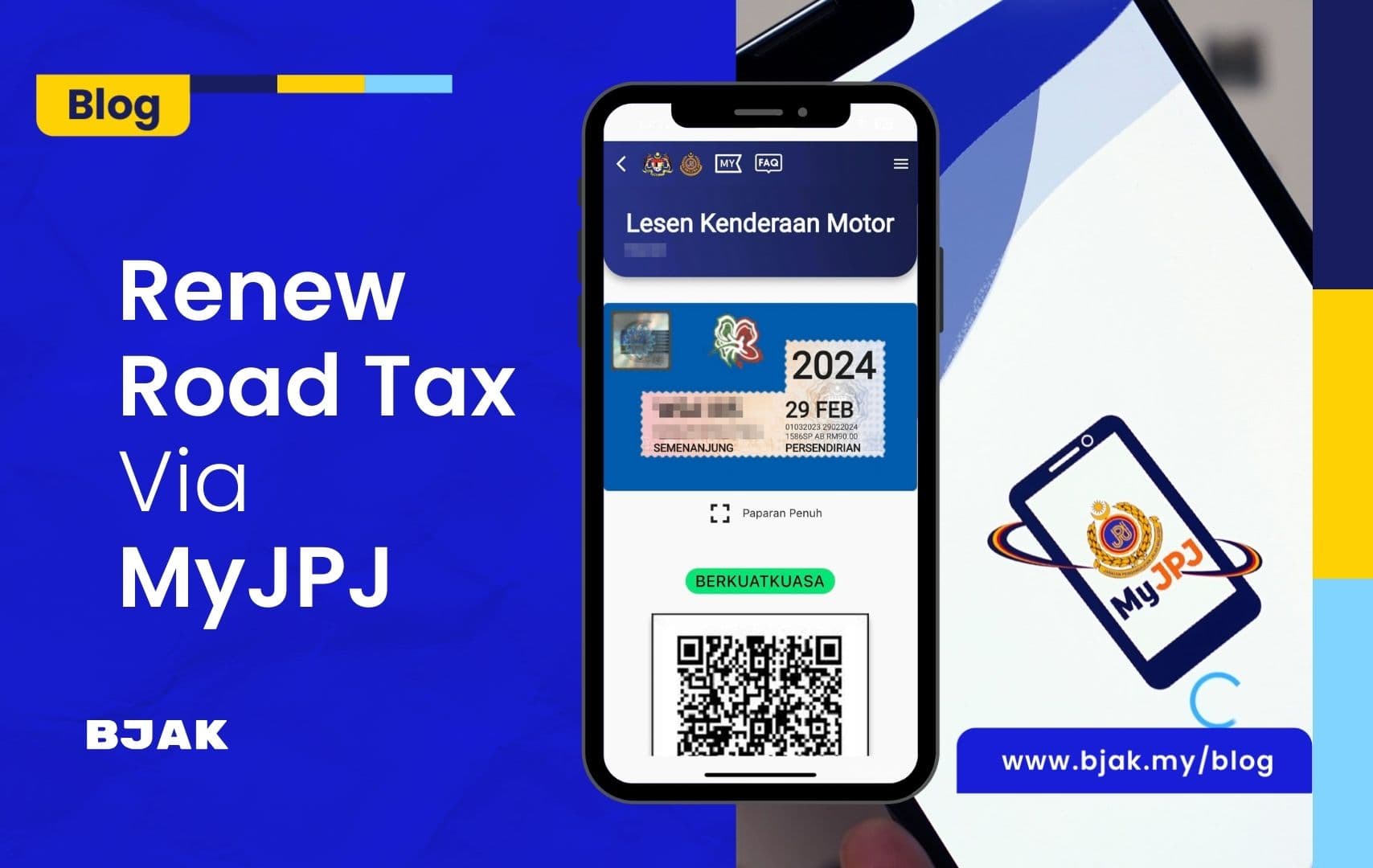
How To Renew Your Roadtax Via The MyJPJ App?
 Nabil Farhan· · 3 min read
Table of contents
Want to renew your roadtax without going to a JPJ counter?
You can renew your roadtax (LKM) and Malaysian driving licence (LMM) through the MyJPJ app, provided you meet the requirements for online renewal.
The MyJPJ app also lets you view your digital roadtax and driving licence after a successful renewal.
In this guide, we’ll show you how to renew your roadtax and driving licence through MyJPJ, step by step.
If you want to explore other options, check out our guide on 4 Ways You Can Renew Your Road Tax In 2026.
How to renew roadtax via MyJPJ?
Before you start, make sure you have:
- The latest version of the MyJPJ app
- A registered MyJPJ account
- A valid vehicle insurance policy
- Your vehicle is eligible for online LKM renewal
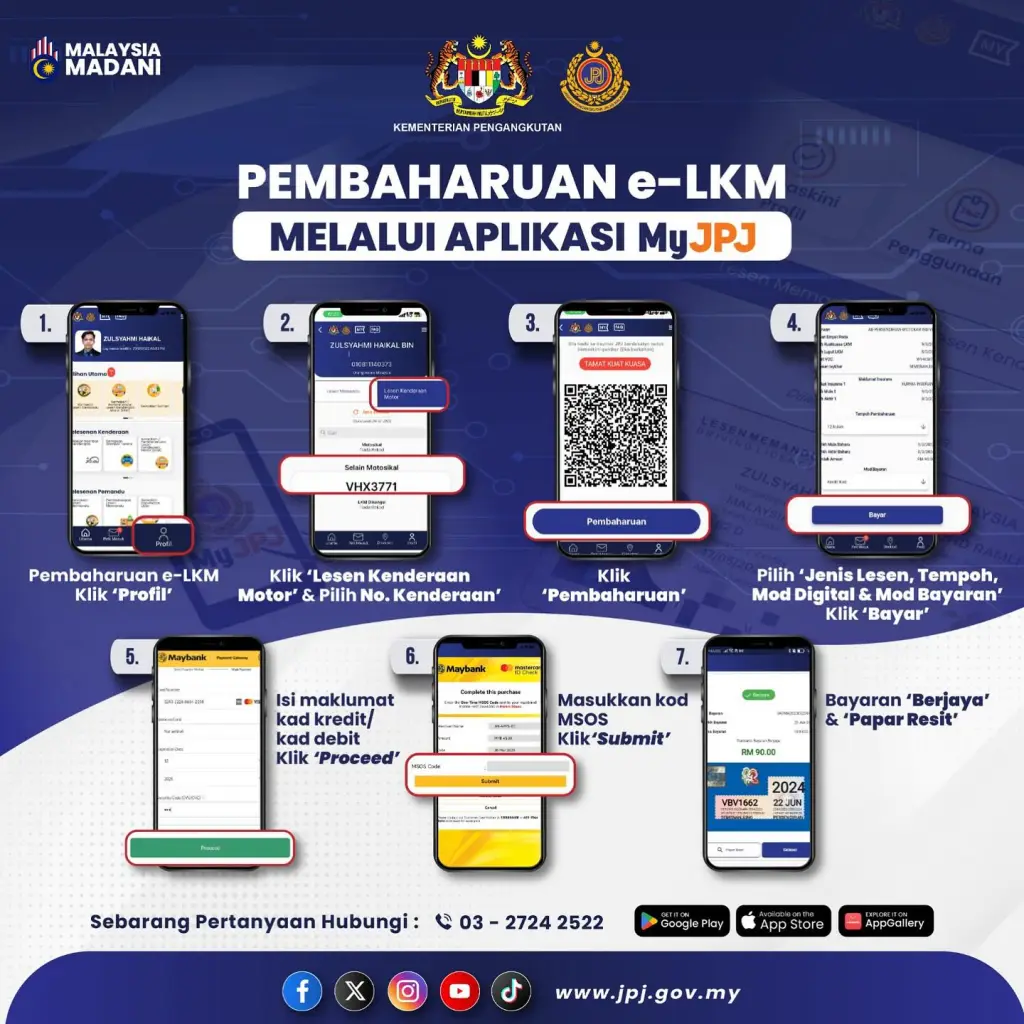
Here’s how to renew your roadtax through the app.
Step 1: Open the MyJPJ app and log in to your account.
Step 2: Go to Profile and select Lesen Kenderaan Motor (LKM).
Step 3: Select the vehicle registration number you want to renew.
Step 4: Tap Pembaharuan.
Step 5: Select the renewal period and payment method, then tap Bayar.
Step 6: Enter your credit or debit card details and complete the payment verification.
Step 7: Once payment is successful, your renewed e-LKM and transaction details can be viewed in the MyJPJ app.
JPJ’s official guide shows the same basic seven-step process for renewing e-LKM through MyJPJ.
Do I need to print my roadtax?
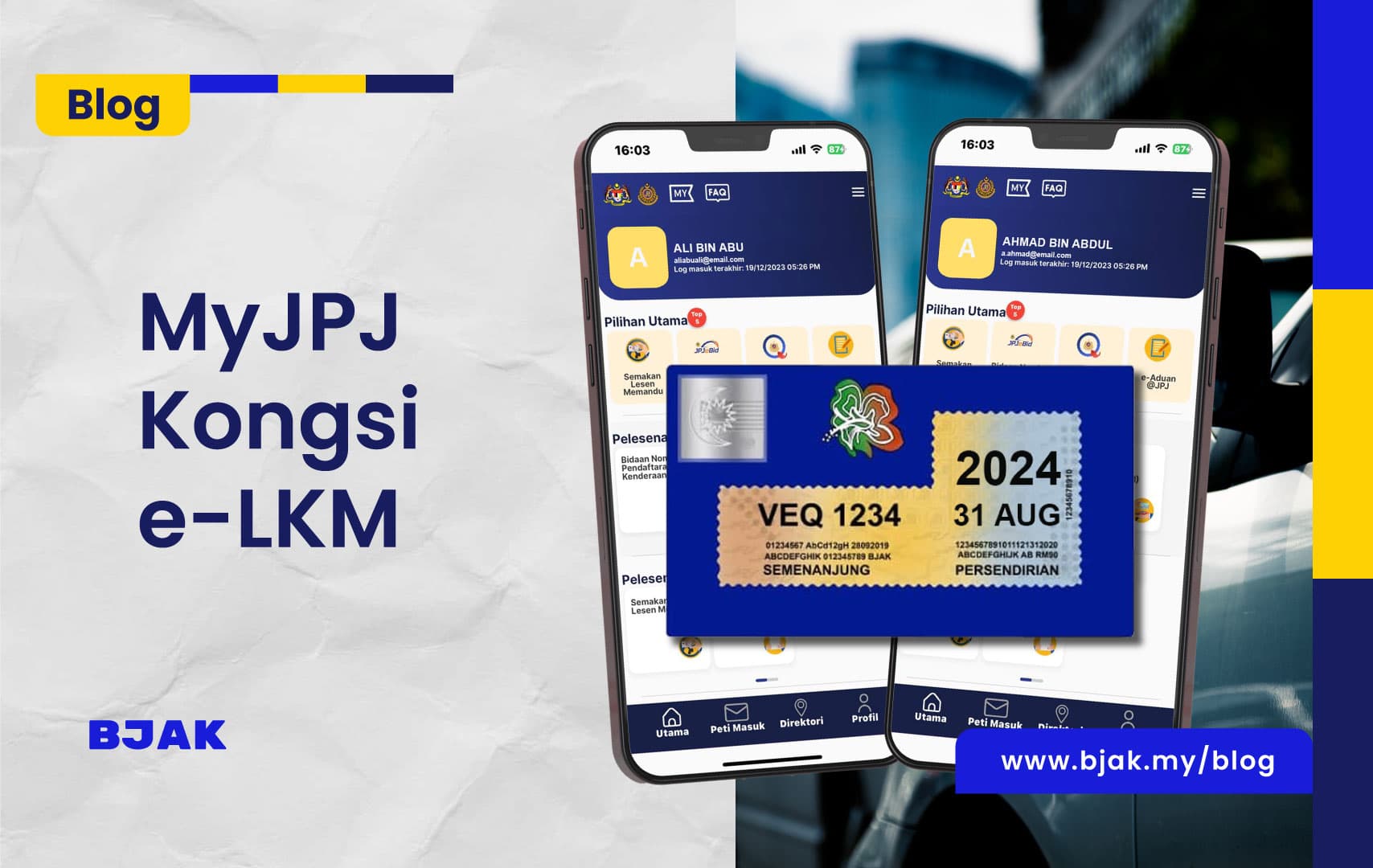
For eligible vehicles using digital LKM, you do not need to print and display the traditional roadtax disc on your windscreen.
Your e-LKM can be viewed through MyJPJ or the JPJ public portal.
If you are driving someone else’s vehicle, the owner can also use the Kongsi LKM function to share the digital LKM with you.
How to renew your driving licence via MyJPJ?
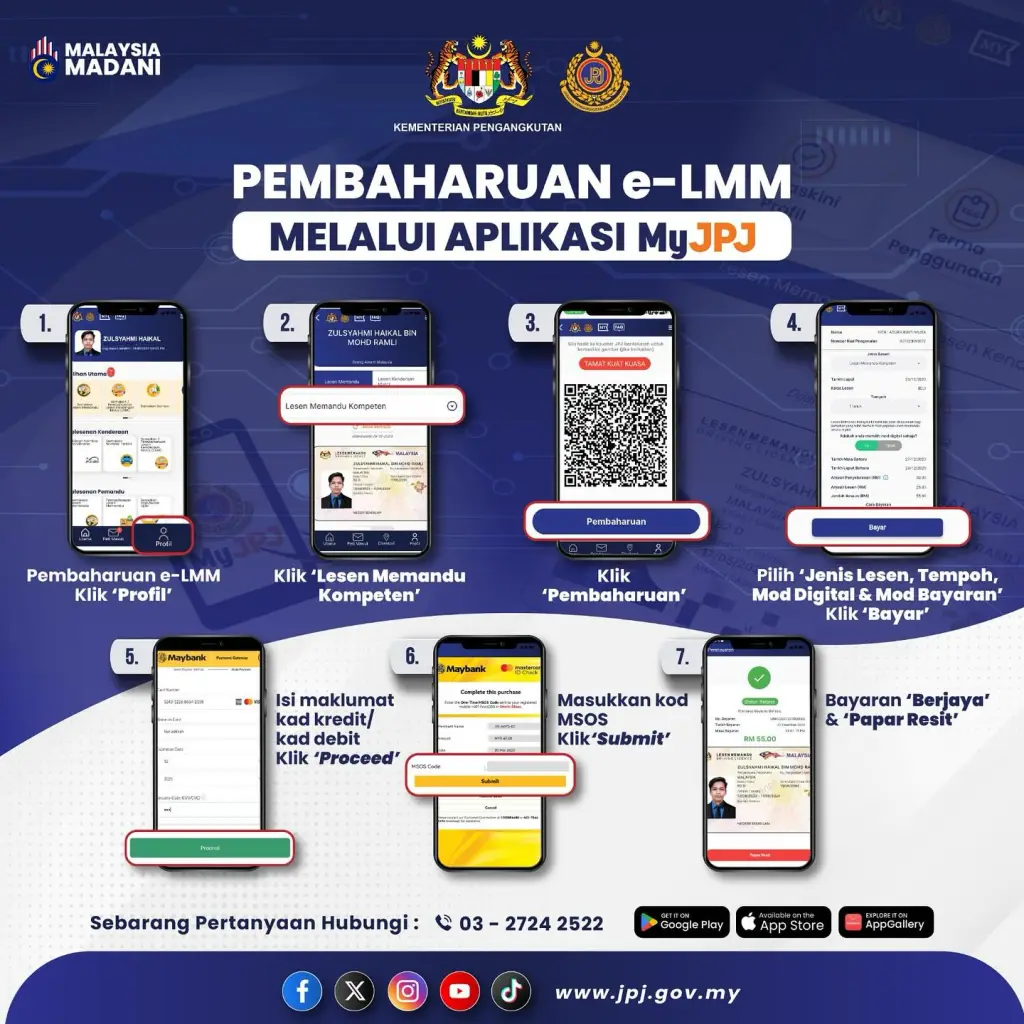
You can also renew your Malaysian Driving Licence (LMM) through MyJPJ.
Follow these steps:
Step 1: Open the MyJPJ app and log in.
Step 2: Go to Profile and select Lesen Memandu Kompeten (CDL).
Step 3: Tap Pembaharuan.
Step 4: Select the licence type, renewal period, digital mode and payment method.
Step 5: Enter your credit or debit card details and tap Proceed.
Step 6: Complete the payment verification.
Step 7: Once payment is successful, you can view your renewed digital driving licence in the app.
JPJ’s official guide provides the same seven-step renewal flow for e-LMM through MyJPJ.
What if MyJPJ does not show my renewed roadtax?
If you have successfully completed the renewal but the updated information is not showing, don’t immediately renew again.
First, check your transaction history and refresh the information in the app.
You should also make sure you are using the latest version of MyJPJ and have a stable internet connection. JPJ recommends updating or reinstalling the app if you experience certain login or technical issues.
For digital LKM-related problems, JPJ can be contacted at 03-2724 2522 or [email protected].
Renew your roadtax online with MyJPJ
Renewing your roadtax or driving licence no longer has to mean spending time at a counter.
With MyJPJ, eligible users can complete the renewal process online and access their digital documents through the app.
Before renewing, make sure your insurance is active and your vehicle and licence details are eligible for renewal.
If you prefer another renewal option, you can also check our guide on 4 Ways You Can Renew Your Road Tax In 2026.
Need to renew your car insurance too? Get a car insurance quote from BJAK.
Frequently asked questions
Can I renew my roadtax through the MyJPJ app?
Yes. Eligible users can renew their vehicle’s roadtax, also known as the Lesen Kenderaan Motor (LKM), through the MyJPJ app. You must have an active vehicle insurance policy and a registered MyJPJ account.
What do I need before renewing roadtax through MyJPJ?
Before starting, make sure you have:
-
The latest version of the MyJPJ app.
-
A registered MyJPJ account.
-
Valid vehicle insurance.
-
A vehicle eligible for online LKM renewal.
-
A valid credit or debit card for payment.
How do I renew my roadtax using the MyJPJ app?
Log in to MyJPJ, go to Profile, select Lesen Kenderaan Motor (LKM) and choose your vehicle registration number. Tap Pembaharuan, select the renewal period and payment method, then complete the payment and verification process.
How long can I renew my roadtax for?
The available renewal period depends on the options displayed in the MyJPJ app and the applicable JPJ requirements. Select your preferred period during the renewal process before making payment.
Can I renew roadtax through MyJPJ if my car insurance has expired?
No. Your vehicle must have valid insurance before you can renew its roadtax. Renew your car insurance first and wait for the updated information to be reflected in the JPJ system if necessary.
Do I need to print my roadtax after renewing it through MyJPJ?
For vehicles eligible for digital LKM, you generally do not need to print or display a traditional roadtax disc on the windscreen. Your digital roadtax can be viewed through the MyJPJ app or the JPJ public portal.
Can I drive someone else’s car using their digital roadtax?
Yes, the vehicle owner can use the Kongsi LKM function to share the digital roadtax with another driver. This allows the driver to access the vehicle’s LKM information through MyJPJ.
What payment methods are accepted in the MyJPJ app?
The app allows payment using an eligible credit or debit card. The available payment options may depend on the current version of the app and JPJ’s payment system.
What should I do if my renewed roadtax does not appear in MyJPJ?
Check your transaction history first and refresh the app. Also confirm that you are using the latest version of MyJPJ and have a stable internet connection. Avoid making another payment until you confirm whether the first transaction was successful.