Since PLUS began rolling out Touch ‘n Go (TNG) RFID lanes in January 2022, many Malaysian drivers have swapped their old cards and SmartTAGs for a small sticker on the windscreen. The system is simple once it is set up, but a few small mistakes can leave you stuck at the barrier or even get your tag suspended. Here is what to check before you drive through.
What Is a TNG RFID Tag?
A TNG RFID tag is a sticker fitted to your vehicle and linked to your Touch ‘n Go eWallet. The toll is deducted automatically when the reader picks up the tag. Unlike a SmartTAG, it has no battery, and you can pass through the lane at up to 30 km/h. Cameras that read number plates (ANPR) also support the system by working out where your vehicle entered the highway, so your toll can still be calculated correctly if you switch payment lanes.
Quick Checklist Before You Drive Through
Check
What to do
Wallet balance
Keep enough in your TNG eWallet for the toll and top up before you reach the exit plaza.
Speed
Slow to 30 km/h or below as you approach the RFID lane.
Distance
Keep about 5 metres from the vehicle in front so you do not pay for its toll by mistake.
Tag position
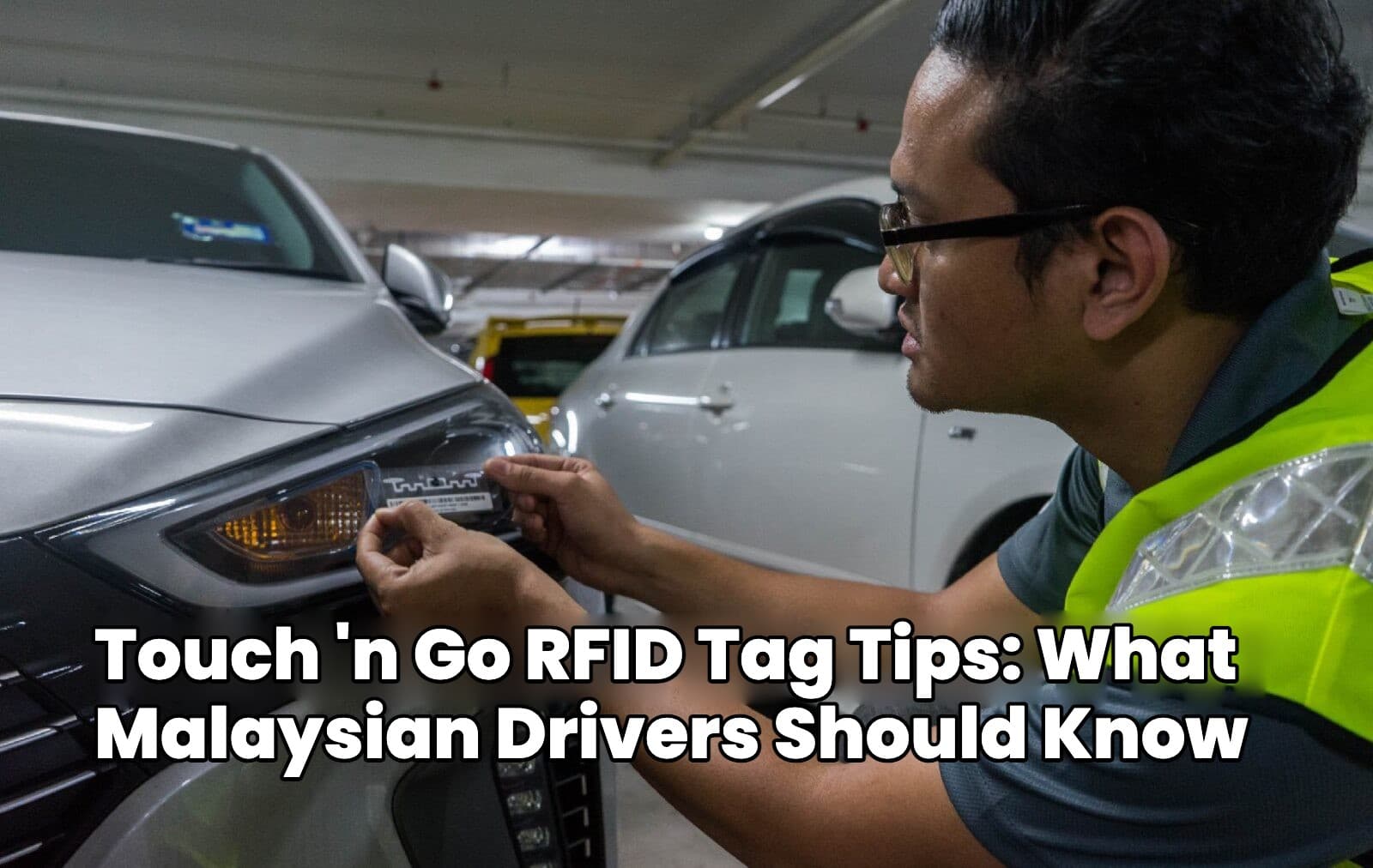
Fit it on the top-left of the windscreen or at the left headlamp, at least 5 cm from metal parts.
Tag use
Never hold the tag in your hand at the reader.
Do’s and Don’ts When Using Your RFID Tag
Keep Enough Balance in Your eWallet
The tag draws on your TNG eWallet, so a low balance is the most common reason for trouble at the barrier. If the balance is too low, the display shows an insufficient balance message and you will need to top up through the app before trying again. Under the TNG RFID terms of use, Touch ‘n Go may reject the tag when funds are short, and a declined transaction can lead to the tag being suspended or terminated. Check your balance before long trips and consider turning on auto-reload in the app.
Do Not Hold the Tag Against the Reader
Fit the tag once and leave it in place. Peeling it off damages it, so it will no longer work. Holding it up by hand at the lane is not allowed and can lead to your account being blacklisted. If the overhead reader cannot read your tag, plaza staff can use a handheld reader to help you pay the toll, as Carsome explains.
Keep the Tag Away From Metal
Metal interferes with the signal. Mount the tag on the upper left of the windscreen or on the left headlamp, at least 5 cm from the car body or any metal parts, and avoid metallised window tint. A badly placed tag may need several attempts before the reader detects it.
Leave a Gap Behind the Car in Front
Approach the lane slowly and keep about 5 metres from the vehicle ahead. If you are too close, the reader may charge the toll to the wrong vehicle.
Other Things Worth Knowing About RFID Tags
One Tag per Vehicle, and It Cannot Be Transferred
Each tag is registered to one vehicle and cannot be lent out or moved to another car. A single TNG eWallet account can register tags for up to 10 vehicles, but each vehicle can only have one tag. Using a tag on an unregistered vehicle can confuse the ANPR checks and breaches the terms.
Selling Your Car
If you sell the car, terminate the tag so the new owner cannot use your wallet. You can do this in the TNG eWallet app under Toll, then RFID, or through the TNG RFID portal under My Vehicle.
Replacing a Damaged Tag
A tag typically lasts around five years. Your first replacement is free, and later replacements are RM35 each, according to BHPetrol. If you had your tag fitted at an authorised fitment centre, go back to that centre. If you fitted it yourself, contact the TNG Careline or use the RFID portal.
Paying for Parking and Fuel
RFID is not only for tolls. Selected car parks with RFID readers deduct parking fees automatically, so you do not need a ticket or card. You can also pay for fuel at selected Shell stations, which started offering RFID payments in August 2022. Look for the RFID signage at the pump, and activate the feature in your eWallet the first time you use it.
Conclusion
To avoid problems at the toll, keep your eWallet topped up, slow down to 30 km/h, leave a 5-metre gap and keep the tag clear of metal. Once your tag is fitted, leave it alone and terminate it when you sell the car.
Fit it on the top-left of the windscreen or at the left headlamp, at least 5 cm away from metal parts. Avoid metallised tint, and do not peel it off once fitted.
What speed should I use in the RFID lane?
Slow to 30 km/h or below as you approach the lane, and keep about 5 metres from the car ahead.
What happens if my eWallet balance is too low?
The reader may reject the tag. Top up your TNG eWallet and try again. Under the TNG terms, a declined transaction can lead to suspension or termination of the tag, so keep enough balance.
Can I use my RFID tag on another car?
No. Each tag is tied to one vehicle and cannot be transferred or lent out. A TNG eWallet account can register tags for up to 10 vehicles, with one tag per vehicle.
What should I do with my tag when I sell my car?
Terminate it in the TNG eWallet app or on the TNG RFID portal so the new owner cannot use your wallet.
Is replacing a damaged RFID tag free?
The first replacement is free. Later replacements cost RM35 each. Visit your fitment centre or contact TNG for help.

 Nabil Farhan· · 4 min read