
Renew Roadtax Online
Car insurance and roadtax
Roadtax renewal depends on your car insurance being active, so the two are decided together. These are the questions that come up most often, and where to go next for each.Car insurance must be active first
Roadtax can only be renewed while your motor insurance is active, so insurance comes first. If your policy has expired or is close to it, renew or compare cover before you continue with roadtax.What if my car insurance has expired?
An expired policy has to be renewed before your roadtax can be. There is no grace period for driving uninsured, so renew first and continue with roadtax once the policy is active.What car insurance do I need for roadtax renewal?
Any valid motor policy lets you renew roadtax, but comprehensive and third-party cover you very differently. Which one suits you depends on your vehicle and what you want protected.Check your NCD before renewing
Your No Claim Discount can take a large amount off your premium. Check it before comparing renewal options, so you are comparing the price you will actually pay.Renew car insurance and roadtax together
If both are expiring around the same time, complete your insurance renewal first, then continue with roadtax in the same flow.Check your cover before you renew
The cover you renew with sets your premium and what you are protected against. Add-ons are priced on top of the basic premium and not every insurer offers the same ones.Learn about Digital Roadtax
MyJPJ account setup
Before you can access your digital documents, you need a verified account.
1. Download: Search for MyJPJ on the Apple App Store or Google Play Store.2. Sign Up: Tap "Daftar Akaun Baru", enter your ID details, and use the temporary password sent to your email to log in.3. Secure Your Account: Set up three security questions and create your permanent password.
View digital roadtax
Once logged in, your road tax is always in your pocket.1. Navigate: Go to Profile (bottom right) > Vehicle.
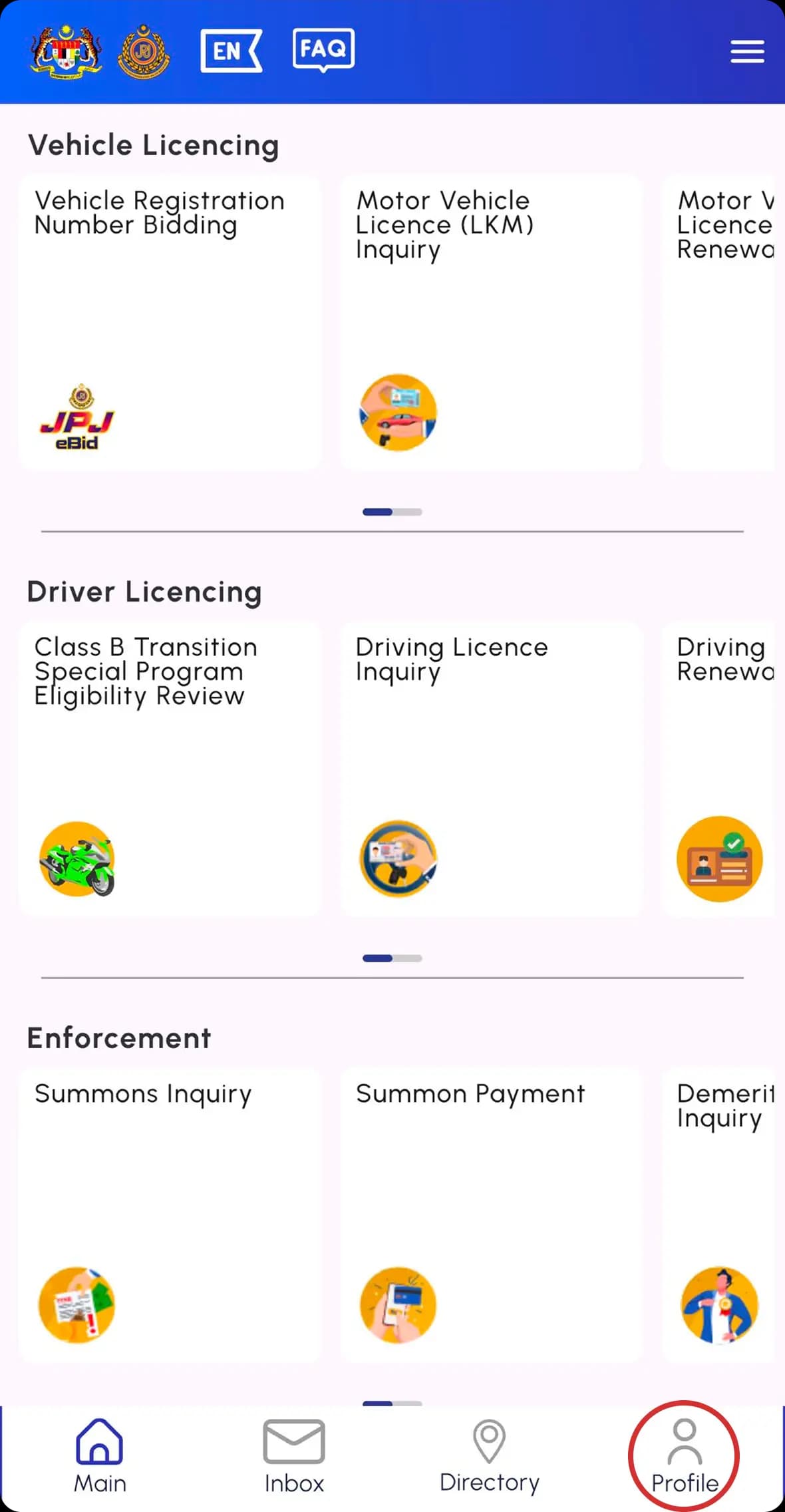
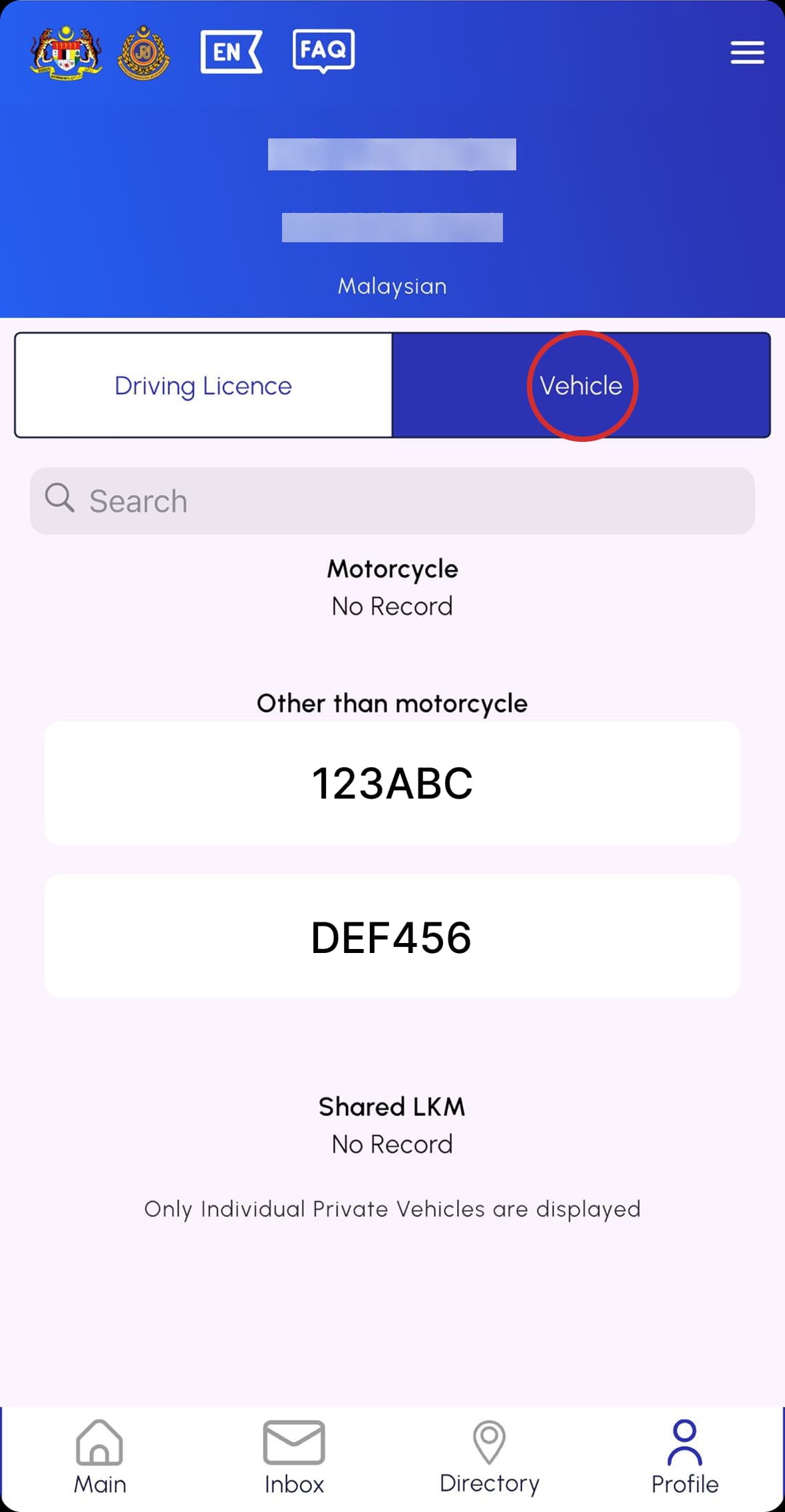
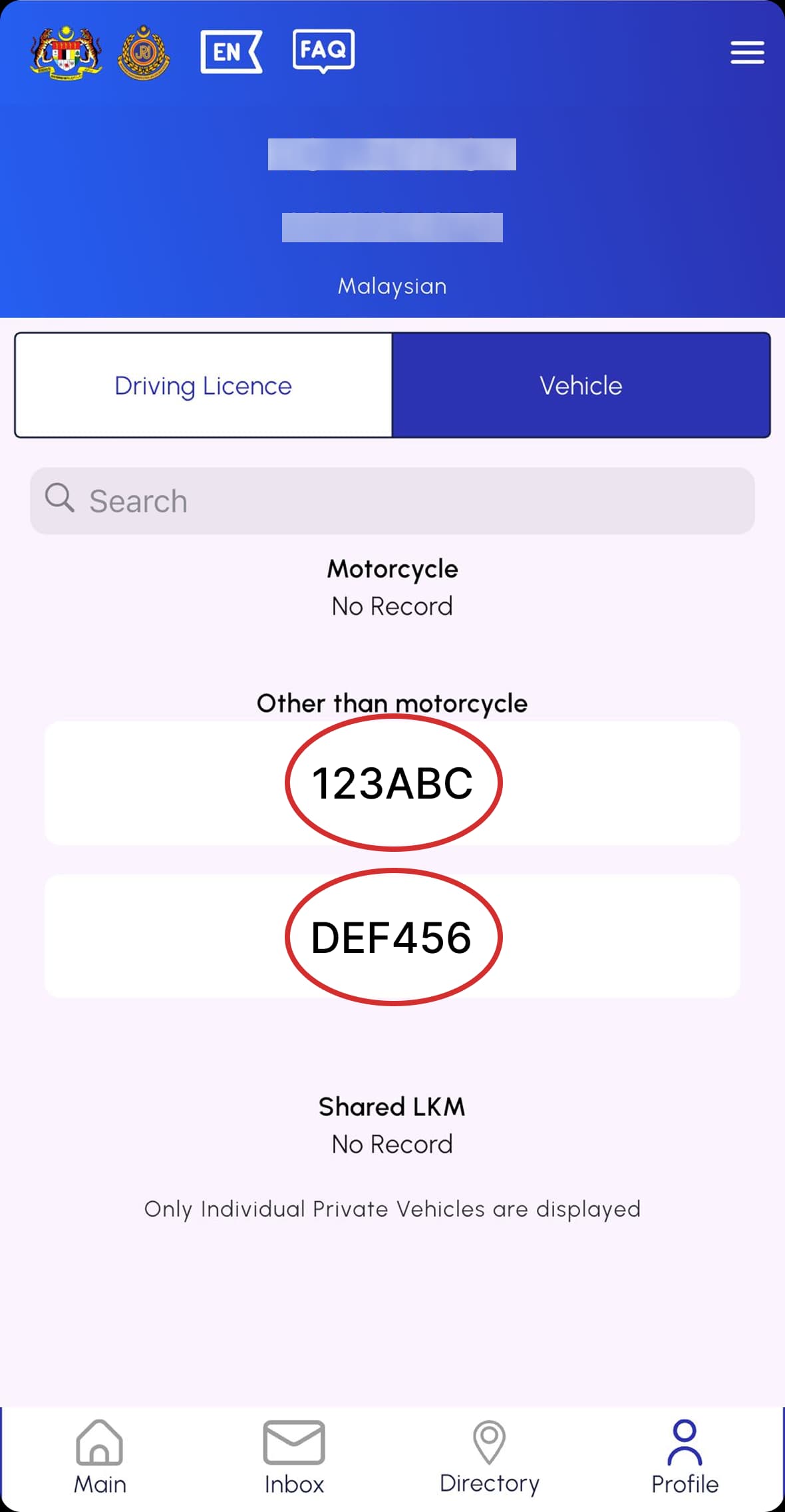
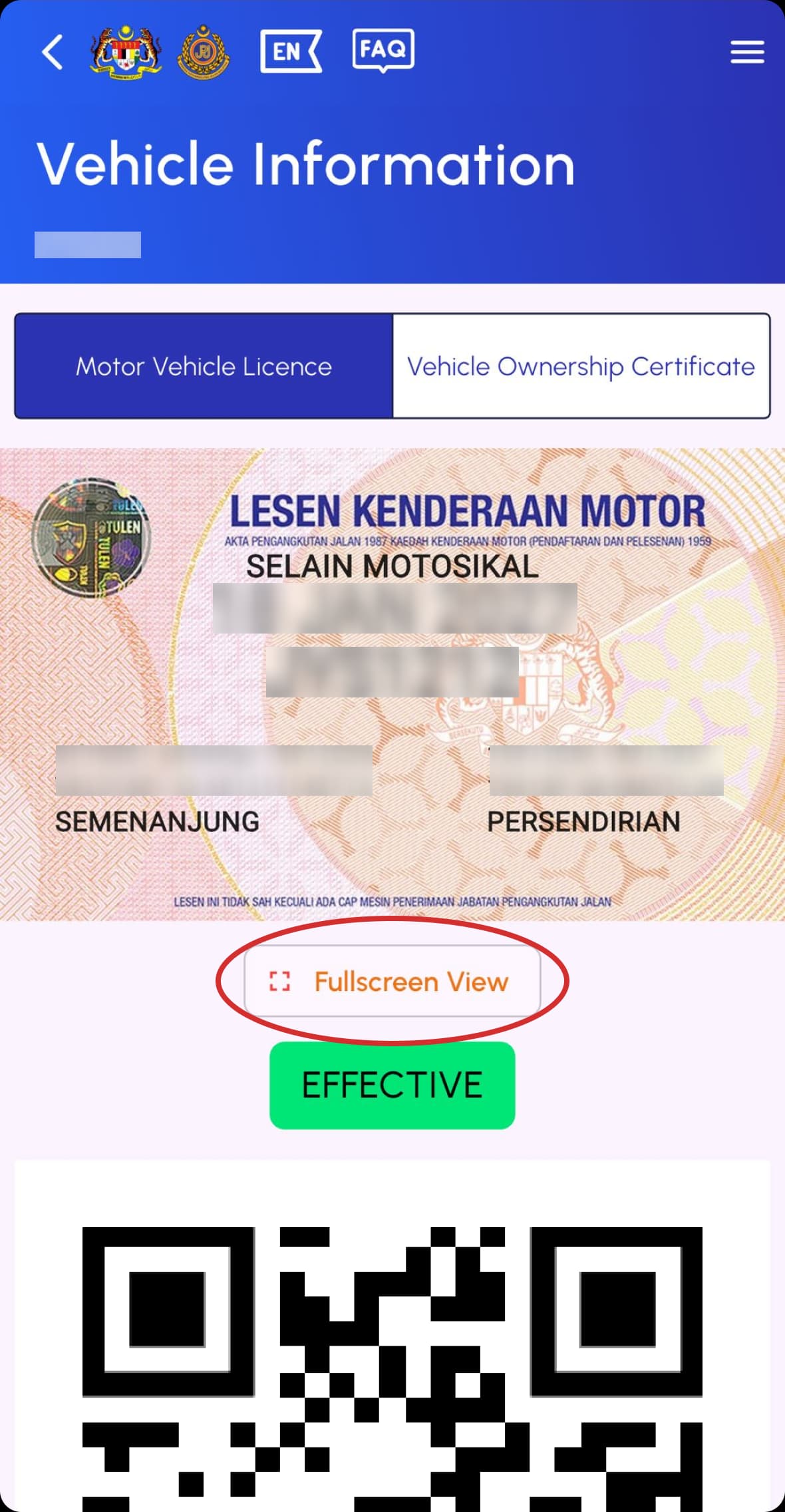
2. Display: Tap your Plate Number, then select "Fullscreen View" to show it to authorities.
Share with others
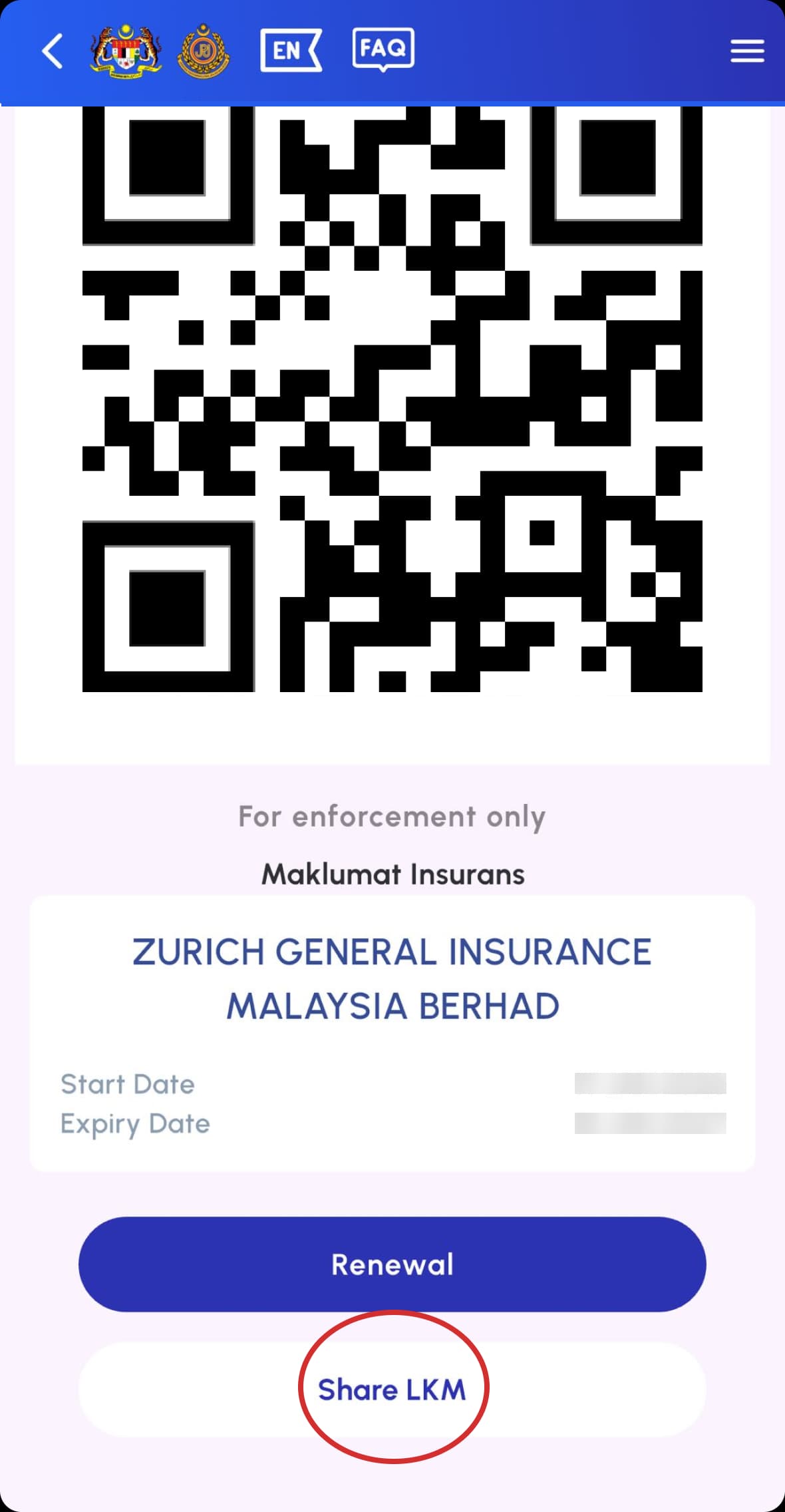
If someone else is driving your car (e.g., family), you can digitally share the e-LKM with them.1. Owner: Inside your road tax view, tap "Share LKM" > "+" icon. Enter the driver's ID number and dates, then send them the Activation Code.
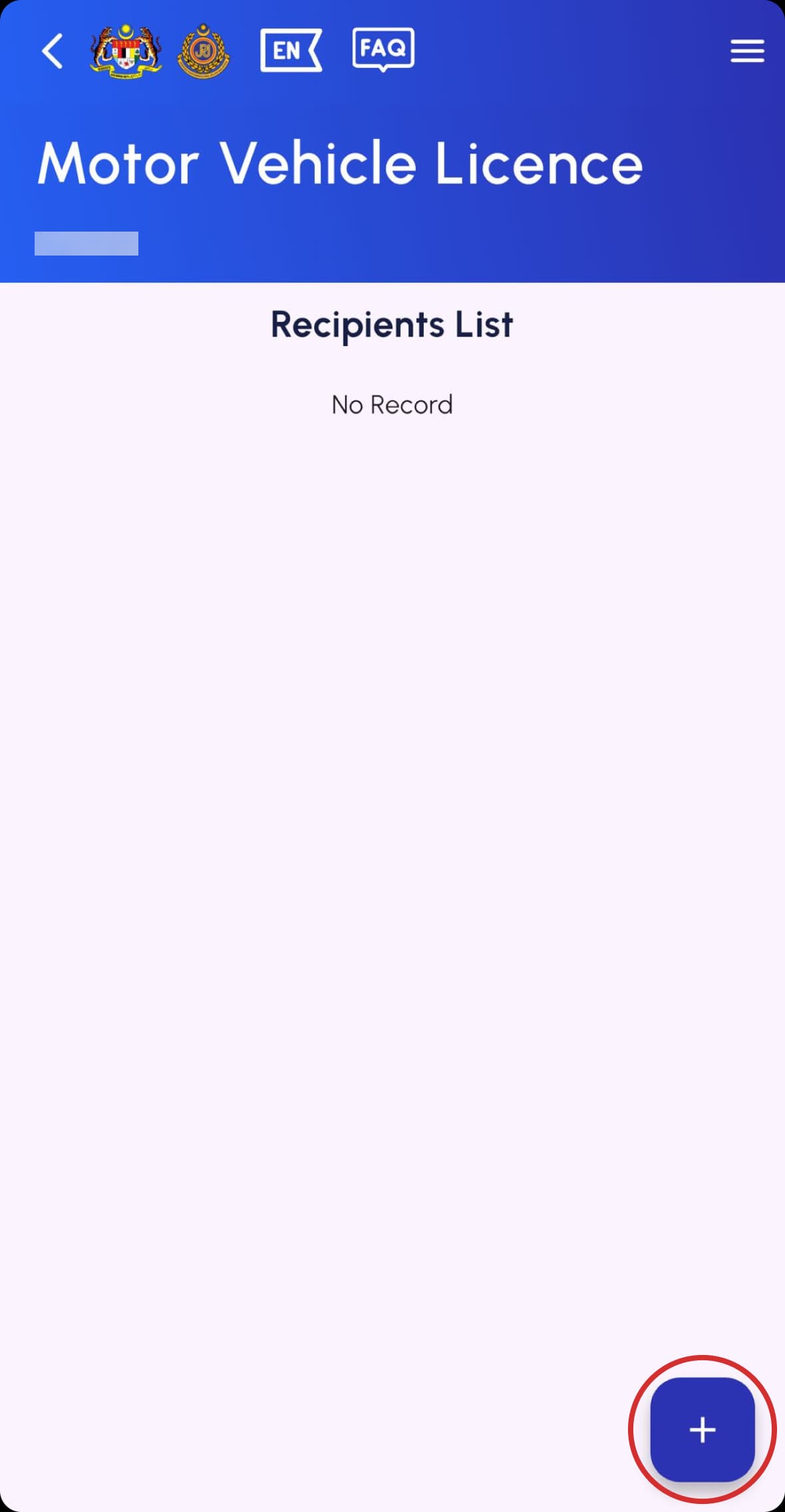
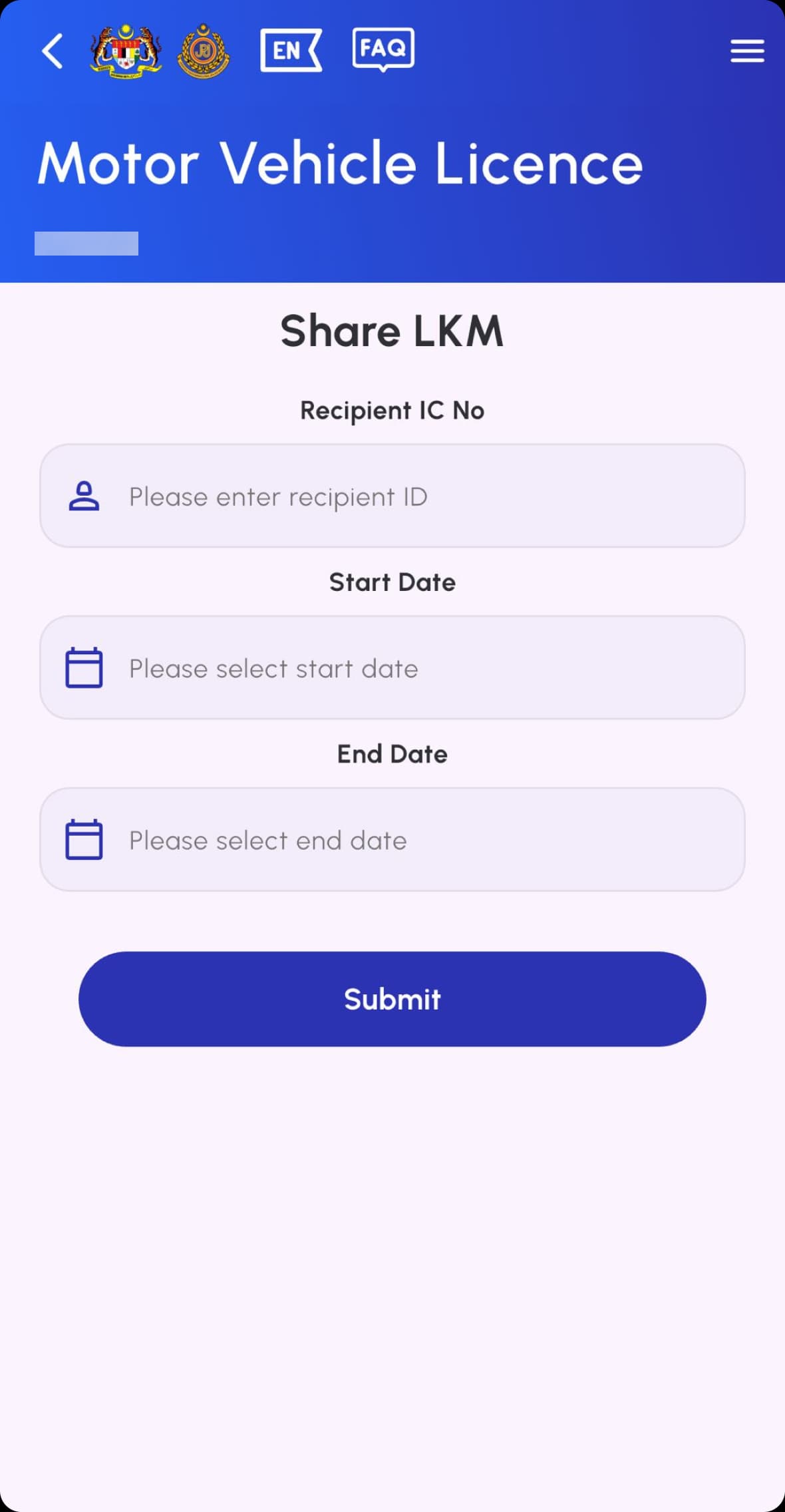
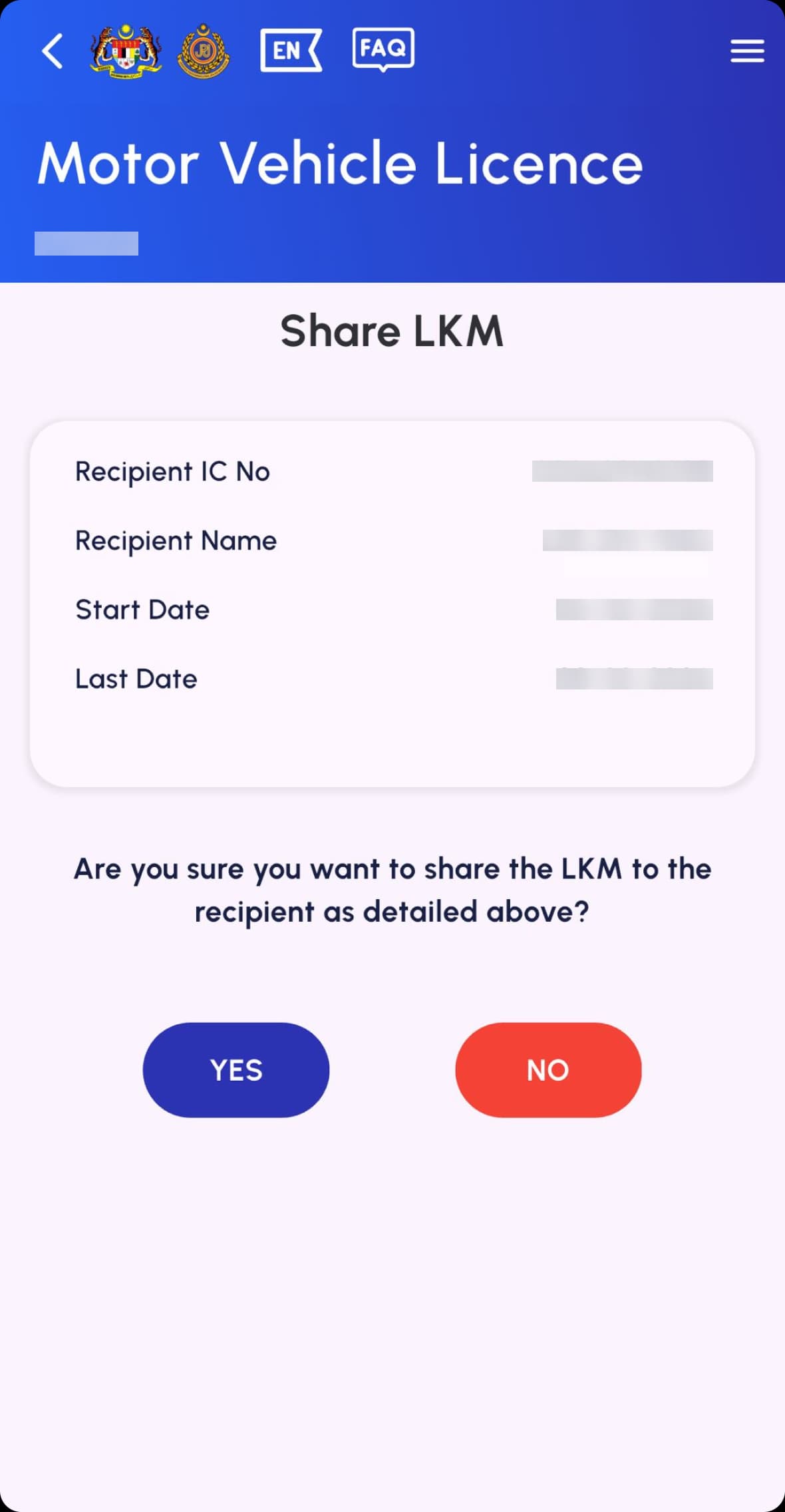
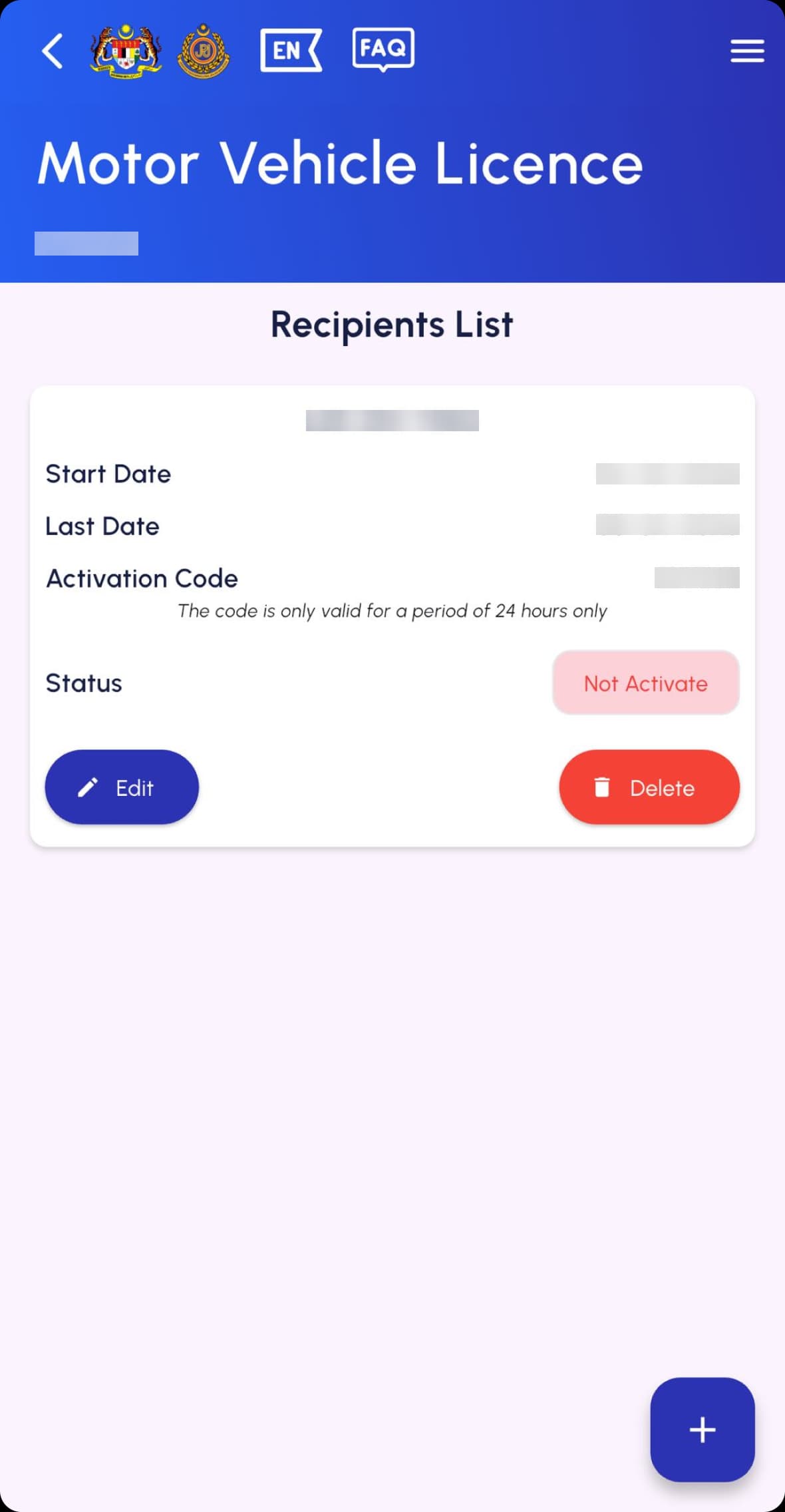
2. Driver: Go to Profile > Motor Vehicle License > Shared LKM. Tap the vehicle, enter the Activation Code, and hit Send.
Download or print
While the app is sufficient for authorities, you may want a backup.1. Save: Simply take a screenshot while in Fullscreen View.2. Print: Use that screenshot if you prefer a physical backup in your car.